01
Keep a private location journal
Set permissions, record your first route, review the timeline, and keep a portable copy.
Start tracking to record your own routes and detect visits, then review the day on your iPhone. No account. No iso.me location server. Recording is free; portable exports are an optional purchase.
Free download and free tracking. Lifetime export access is $19.99 Individual or $39.99 with Apple Family Sharing in the U.S. App Store; local prices reflect purchasing power.
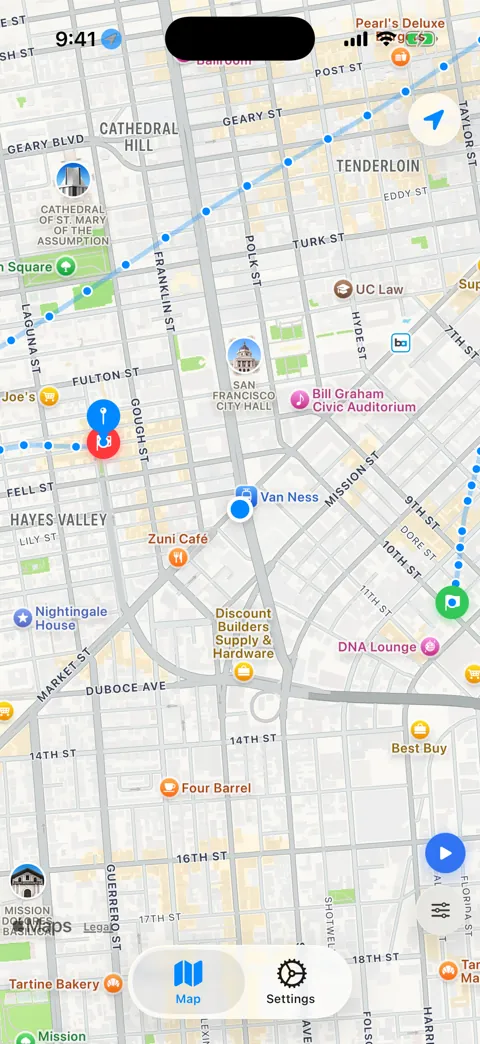
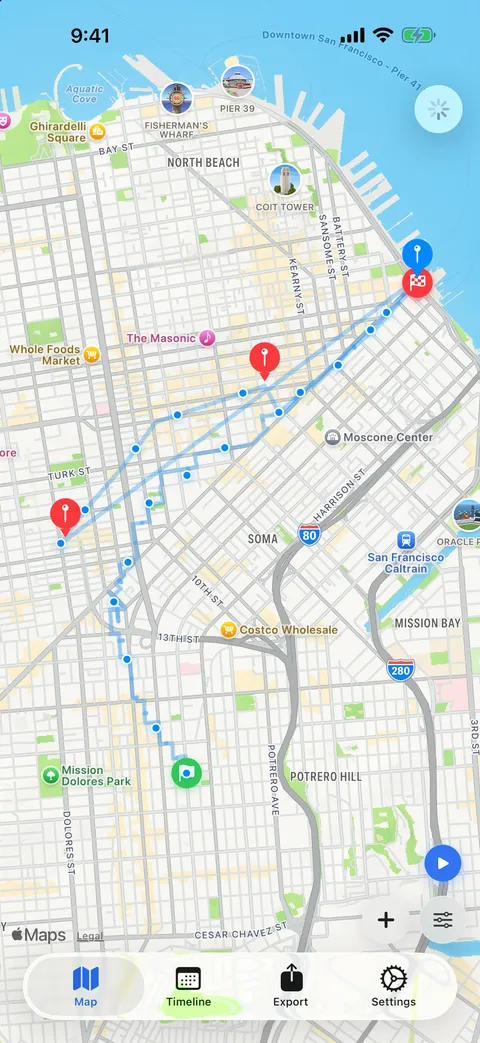
While tracking is on, iso.me monitors arrivals and departures alongside GPS route recording. Always location permission allows background recording.
Record hikes, road trips, neighborhood walks, and field visits with route lines, start points, and end points.
No iso.me account, no server-side location archive, no ads, and no third-party analytics SDKs. First-party onboarding and purchase telemetry is on by default and is explained in the privacy policy.
Use Start and Stop, distance filters, and auto-stop timers so precision sessions do not run longer than intended.
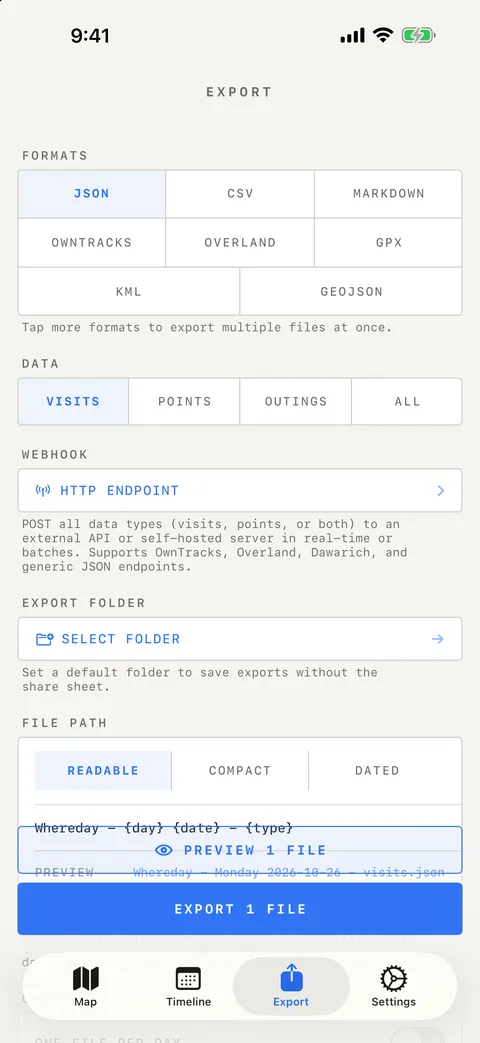
Export visits, points, and outings as JSON, CSV, Markdown, GeoJSON, GPX, KML, OwnTracks, or Overland — split per day, named by template, or scheduled to run automatically. Importing a prior export is free.
The Watch app records routes on its own — even without your phone nearby — while Live Activity with a live map snapshot, Dynamic Island, watch complications, and Shortcuts actions keep status glanceable.
Visits and movement sessions merge into one day view. Infer outings from older GPS data, rename them, add notes, and replay any route with a scrubber and moving playhead.
Confirm or correct detected visits with nearby-business suggestions, undo any change, and save places that automatically name future visits.
Optionally connect your Photos library to place geotagged pictures on the map and link them to visits and outings. Photo files never leave your library.
Set permissions, record your first route, review the timeline, and keep a portable copy.
Understand the differences in accounts, storage, backups, formats, and moving your history.
Choose GPS points, preview a route file, and inspect a synthetic app export in gpx.studio.
Check Apple Maps, Google Timeline, and your existing recordings before starting a new journal.
Keep separate visits and points, verify the saved files, and restore supported records later.
Use Apple Watch GPS recording and transfer the queued points to your phone when it reconnects.
Review local dates, account for travel days, and add a manual stay when a trip was not recorded.
Choose Markdown for Obsidian or Overland for Dawarich. Each walkthrough includes a checked synthetic example.
Manage reusable pins, correct a visit, or add a past stop. Includes a tested saved locations CSV.
Save restaurants, trailheads, hotels, overlooks, and the route between them without making a social post.
Reconstruct errands, client visits, commutes, photo walks, and routines from a local timeline on your phone.
Export JSON for tools, GPX or GeoJSON for maps, CSV for spreadsheets, or Markdown for a human-readable travel and place journal.
Record visits and routes without a Google account. Compare storage, backups, exports, and tradeoffs.
The map view gives you one calm picture of your significant places and recorded paths. It is built for recall: where you stopped, how long you stayed, and how you moved between places.
For walks, hikes, bike rides, road trips, and site visits, routes help preserve the shape of the day instead of reducing it to a single dot.
Your location journal should not be trapped in an app. Export visits, route points, or both, then keep a backup, analyze it privately, or turn it into a written travel log.
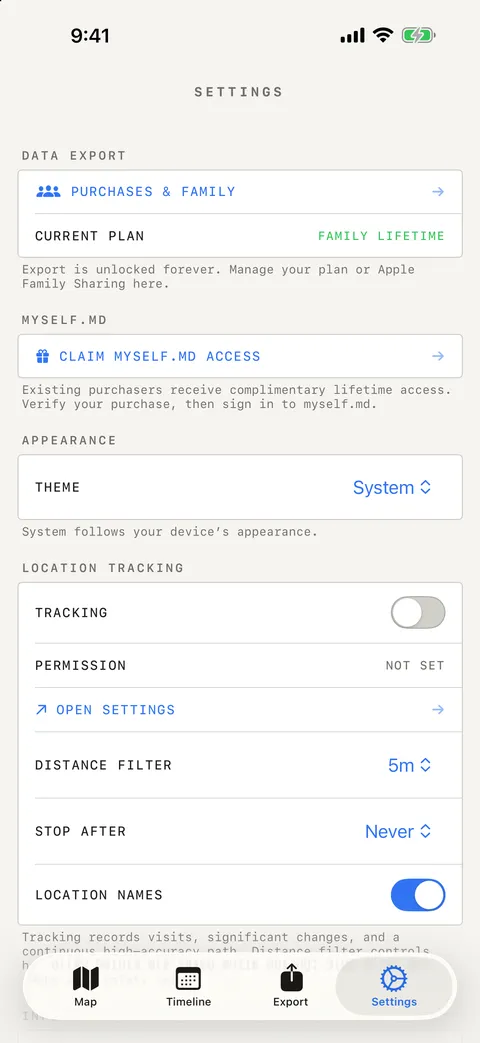
Location apps should be explicit about power and privacy. iso.me puts recording, distance filtering, place naming, and auto-stop controls in one place. Check them before starting a session.
Your recorded visits and routes live on your iPhone, with no iso.me account or server archive of that history. Apple services provide place names and map features. First-party onboarding telemetry is on by default; optional exports and webhooks send data only where you choose. Read the network and storage details.
iso.me is an independent app, not a data broker product. The site makes no fabricated ratings claims; the honest proof is simpler: a current App Store listing, visible support, a privacy policy that spells out every network request the app can make, and an export path for your data.
Need help, want to report a bug, or have a question before installing? Email [email protected].
iso.me is free to download, and private visit and route tracking is free. Lifetime export access covers all eight formats, scheduled auto-exports, and webhook delivery. Choose Individual for $19.99 or Family Sharing for $39.99 in the U.S. App Store; Individual owners can upgrade later for $19.99. Local prices reflect purchasing power and applicable taxes.
Location apps ask for meaningful trust. These answers keep the boundaries clear: what stays local, what Apple handles, what costs money, and how to leave with your data.
iso.me uses iOS location services and gives you controls such as Start and Stop, distance filters, and auto-stop timers. High-accuracy route recording uses more battery, so use it for intentional sessions like trips, walks, hikes, or site visits.
Your visits and routes are stored locally on your iPhone. iso.me does not require an account and does not store your location history on iso.me servers.
It can, if you choose features that turn coordinates into readable place names or addresses. Those geocoding requests go through Apple's system service and are governed by Apple's privacy policies, not an iso.me location database.
Yes. Delete data from the app settings. Since iso.me does not keep a server copy, deleting the app also removes the local data from that device unless you exported or backed it up first.
Yes. Export supports JSON, CSV, Markdown, GeoJSON, GPX, KML, OwnTracks, and Overland for visits, route points, and outings. Import can restore a prior export, and importing is free.
Yes — and the Watch app records independently. It keeps its own GPS session, works without your iPhone nearby, and queues routes offline until it can sync them back. Watch complications also show today's visits, distance, and tracking status.
No. iso.me stores your journal locally and does not sync through iCloud. Export and import are the portable backup path, and the Apple Watch syncs directly with your iPhone rather than through the cloud.
The app is free to download; tracking, the timeline, the Watch app, widgets, and import are free. Lifetime export access covers all eight formats, scheduled automatic exports, and webhook delivery. It costs $19.99 for Individual or $39.99 for Family in the U.S. App Store, with a $19.99 Family Upgrade available to Individual owners. Local prices reflect purchasing power and may vary by storefront.
iso.me can POST GPS points to a configured receiver. An Overland batch sent by the released native webhook code was stored in Dawarich 1.18.0 and survived a receiver and database restart. Physical recording and unattended delivery remain separate checks. Webhooks require Pro and are off by default. Follow the checked Dawarich setup, or choose another records workflow.
Start and stop tracking, read saved visits and outings, rename journal records, ask for today's stats, or export a chosen date range as a file. Use iso.me actions in Shortcuts; built-in Siri phrases cover recording, stats, renaming, and Export Data. Test a shortcut manually before scheduling it. See the action list and export recipe.
Yes. Auto Export saves your day to a folder you pick, once daily or as often as every hour, keeping one consistent dated file per day. Wake-ups are best effort: background refresh plus a scheduling service that sends timing-only pushes and never sees your location.
Yes. iso.me records your own visits and routes without a Google account. Google Timeline also stores history on your device and offers encrypted backup; iso.me differs in account requirements, export formats, and recording workflow. It does not import Google Timeline archives. Read the comparison.